資料結構 是程式設計師儲存和組織整組資料的方式。在 Luau 中,資料結構是通過表格創建的。表格 可以容納任意數量的值。
本文涵蓋了使用 陣列,一種特定的表格類型,來創建一個會說話的角色。

表格
表格 是可以容納多個值的資料類型。與其他儲存單一值的資料類型不同,表格沒有固定大小,並且可以容納不同類型的值。使用表格,您可以儲存玩家的物品清單或創建數千個玩家名稱的列表。
陣列
有不同類型的表格。一種類型是 陣列,它以特定的順序儲存值的列表。要創建一個陣列,創建一個變數並將其賦值為大括號 { }。在括號內用逗號分隔值,如下所示:
local myArray = {"item1", "item2", 10, workspace.Part, myVariable}
創建一個會說話的角色
為了探索陣列,您將與一個非可玩角色 (NPC) 進行互動,當被點擊時,它會顯示不同的對話行。
這個項目將使用一個預製的 NPC 模型,其中包含部分腳本和提示檢測器,但缺少對話。
在資源管理器中,右鍵單擊 Workspace ⟩ 從文件插入,然後選擇下載的文件以導入 NPC。
編碼對話陣列
這些步驟使用陣列來儲存 NPC 在玩家互動時要說的不同短語。
在 資源管理器 中,轉到 NPC ⟩ ProximityPrompt ⟩ ChatManager。
在 ChatManager 中,根據腳本中的標記,創建一個 空陣列 來儲存對話選項。
-- 當提示被使用時,循環聊天對話local Chat = game:GetService("Chat")local prompt = script.Parentlocal npc = prompt.Parentlocal characterParts = npc.CharacterPartslocal head = characterParts.Head-- 在這裡添加陣列local dialogueArray = {}local function speak()local dialogue = "我有一句話要說!"Chat:Chat(head, dialogue)endprompt.Triggered:Connect(speak)在剛創建的陣列的括號 {} 內,輸入至少三個用逗號分隔的對話字符串。
local dialogueArray = {"嗨!", "我認識你嗎?", "再見!"}
使用陣列索引
陣列中的每個值都被分配了一個 index 編號。索引是根據值儲存的順序分配的。第一個值的索引為 1,第二個為 2,依此類推。
一些編程語言,如 Java,從 0 開始索引。
在剛創建的陣列中,"嗨!" 的索引為 1,而 "再見!" 的索引為 3。
| 索引 | 值 |
|---|---|
| 1 | 嗨 |
| 2 | 今天是個好日子! |
| 3 | 再見! |
使用特定索引值
使用索引值將特定的對話片段分配給 NPC。要使用特定索引的值,請在陣列名稱後面直接加上索引,像這樣 dialogueArray[1]。
將 dialogue 變數的默認字符串值替換為索引 2。
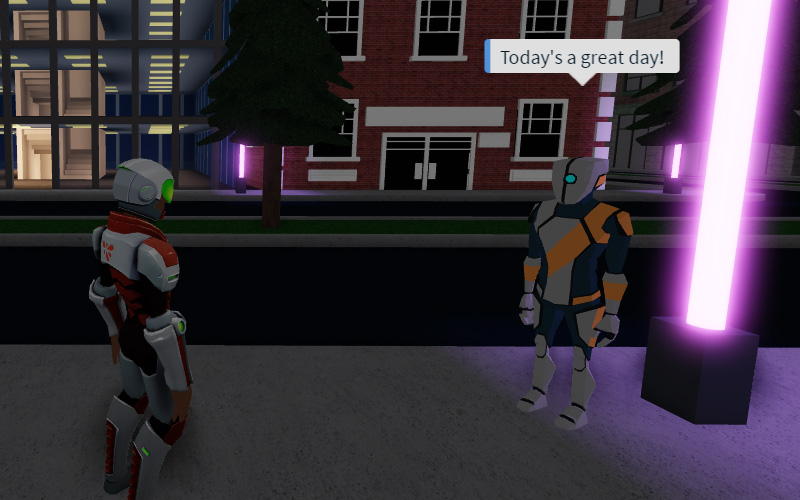
local dialogueArray = {"嗨!", "我認識你嗎?", "再見!"}local function speak()local dialogue = dialogueArray[2]Chat:Chat(head, dialogue)end進行遊戲測試並點擊 NPC。第二個陣列值應該出現在聊天氣泡中。嘗試更改代碼以測試表中的每個值。

更改對話行
當玩家與 NPC 互動時,NPC 將始終說同一句話。這樣很無聊。相反,使用變數來更新要使用的索引值。
每當玩家與 NPC 互動時,將變數值加 1 以顯示下一行對話。
為了跟踪當前索引,添加一個名為 dialogueIndex 的新變數。將變數設置為 1,以從陣列的開頭開始。
local dialogueArray = {"嗨!", "我認識你嗎?", "再見!"}local dialogueIndex = 1在 speak() 中,替換 dialogueArray[2] 中的索引號碼為您剛創建的變數。
local function speak()local dialogue = dialogueArray[dialogueIndex]Chat:Chat(head, dialogue)end在函數的底部,將 1 加到 dialogueIndex。下次調用 speak() 時,對話將顯示下一個字符串。
local function speak()local dialogue = dialogueArray[dialogueIndex]Chat:Chat(head, dialogue)dialogueIndex += 1end進行遊戲測試並點擊 NPC,以查看陣列中的每個對話字符串。
注意,一旦腳本到達陣列的末尾,輸出窗口中會出現 錯誤。
您將在下一部分修復此問題,以便在顯示最後一個字符串後,對話從頭開始。
陣列大小
您可以使用陣列的大小來知道何時將所需的索引重置為 1。通過在陣列名稱前輸入 # 來查找陣列的 大小,不帶空格。
例如:#dialogueArray
檢查陣列的大小與變數的當前值,以知道何時該從頭開始。
重新啟動對話
使用陣列大小來檢查何時該循環回第一個對話片段。
添加一個 if 語句,檢查 dialogueIndex 是否等於 #dialogueArray,即此陣列的總大小。如果是,則將 dialogueIndex 設置為 1。
local function speak()local dialogue = dialogueArray[dialogueIndex]Chat:Chat(head, dialogue)if dialogueIndex == #dialogueArray thendialogueIndex = 1enddialogueIndex += 1end如果 dialogueIndex 不在末尾,則仍應將 1 加到 dialogueIndex。將 dialogueIndex += 1 移到 else 語句下。
local function speak()local dialogue = dialogueArray[dialogueIndex]Chat:Chat(head, dialogue)dialogueIndex = if dialogueIndex == #dialogueArray then 1 else dialogueIndex + 1end播放並確認您可以循環並重新啟動對話。
總結
資料結構是儲存資料集的方式。Luau 使用表格來創建資料結構。陣列是一種可以容納有序信息列表的表格。陣列中的每個值都被分配了一個索引號碼,從索引 1 開始。
這段腳本使用陣列來創建非可玩角色 (NPC) 的可能對話行列表。
-- 當提示被使用時,循環聊天對話
local Chat = game:GetService("Chat")
local prompt = script.Parent
local npc = prompt.Parent
local characterParts = npc.CharacterParts
local head = characterParts.Head
-- 在這裡添加陣列
local dialogueArray = {"嗨!", "我認識你嗎?", "再見!"}
 local dialogueIndex = 1
local function speak()
   local dialogue = dialogueArray[dialogueIndex]
   Chat:Chat(head, dialogue)

   dialogueIndex = if dialogueIndex == #dialogueArray then 1 else dialogueIndex + 1
 end
prompt.Triggered:Connect(speak)故障排除提示
如果角色無法通過對話陣列,請嘗試以下故障排除提示。
- 檢查 if 語句,確保 dialogueIndex 被設置回 1。在 else 語句中,檢查 dialogueIndex 是否加了 1。
- 獲取陣列大小時,確保 #dialogueArray 中的 # 後面沒有空格。
可選挑戰
嘗試以下可選挑戰之一。
- 編寫腳本,使 NPC 的對話在陣列中向後進行。對話索引應從陣列長度開始,每次減去而不是加。
- 不按順序顯示對話,而是讓 NPC 每次顯示一行隨機對話,使用 Random.new()。下面包含了一個示例腳本以供參考。
local randomGenerator = Random.new()

   -- 每當 NPC 被點擊時顯示新的對話
   local function speak()
      local randomIndex = randomGenerator:NextInteger(1, #dialogueArray)
      local dialogue = dialogueArray[randomIndex]
      Chat:Chat(head, dialogue)
   end