您的化身是您進入任何空間的身份。SocialInteractions 開發者模組 讓每位用戶更好地表達自我及其自然動作,為體驗增添了一絲真實感。
此模組包含以下功能:
| 身體方向 | 讓每個人的化身頭部朝向相應用戶相機的指向,通過頸部和腰部的旋轉混合,這提供了一個微妙的提示,告訴其他人正在與誰或什麼互動。 |
| 聊天動畫 | 通過讓化身根據他們發送的消息內容偶爾進行動畫,為體驗中的聊天增添一些生動性。“觸發字”列表可配置,用於激活每個動畫。 |
模組使用
安裝
要在體驗中使用 SocialInteractions 模組:
從 Studio 的 視窗 菜單或 首頁 標籤工具欄,打開 工具箱,並選擇 創作者商店 標籤。
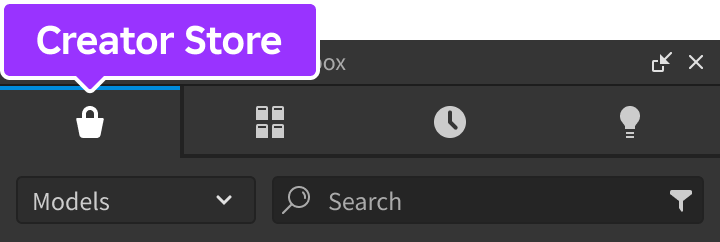
確保選擇了 模型 排序,然後單擊 查看全部 按鈕以查看 類別。

找到並點擊 包裝 瓷磚。
找到 社交互動 模組並點擊,或將其拖放到 3D 視圖中。

在 資源管理器 視窗中,將整個 SocialInteractions 模型移入 ReplicatedStorage。運行體驗後,模組將開始運作。


配置
只需插入 SocialInteractions 模組即可在您的地方內啟用 身體方向 和 聊天動畫 功能。要調整預設行為:
在 StarterPlayerScripts 中,創建一個新的 LocalScript,並將其重命名為 ConfigureSocialInteractions。

將以下代碼粘貼到新腳本中,使用 configure 函數自定義模組的行為。
LocalScriptlocal ReplicatedStorage = game:GetService("ReplicatedStorage")local SocialInteractions = require(ReplicatedStorage.SocialInteractions)-- 使腰部旋轉更明顯並禁用聊天動畫功能SocialInteractions.configure({waistOrientationWeight = 0.75,useChatAnimations = false,})

聊天動畫觸發字
可以配置的“觸發字”列表可激活每個聊天動畫,並利用 Luau 字符串模式來增加可識別的單詞。例如,Wave 動畫使用的一種組合是 he+y+o*,這意味著 hey、heyyy、heyo、heyyyyo、heeeeyyyyo 和其他變化都可以觸發動畫。
還要注意,觸發字是 不區分大小寫 的,因此輸入 hey 與 HEY、Hey 和其他變化相同。
| 動畫 | 動畫 ID | 單詞模式 |
|---|---|---|
| 揮手 | 3344650532 | hell+o+ h+i+o* wa+[sz]+u+p+ y+o+ greetings* salutations* goo+d+%smorning+ he+y+o* howdy+ what's*%s*up+ |
| 鼓掌 | 5911729486 | ya+y+ h[ou]+r+a+y+ woo+t* woo+h+oo+ bravo+ congratulations+ congrats+ gg pog+ poggers+ |
| 同意 | 4841397952 | ye+s* ye+a+h* y[eu]+p+ o+k+ o+k+a+y+ |
| 不同意 | 4841401869 | no+ no+pe+ yi+ke+s+ |
| 耸肩 | 3334392772 | not+%s+sure+ idk+ don't%s+know+ i%s+don't%s+know+ who+%s+knows+ |
| 笑 | 3337966527 | lo+l+ rof+l+ ha[ha]* he[he]+ |
| 睡覺 | 4686925579 | zzz+ yawn+ |
可以配置的觸發字列表可激活每個動畫,並可以通過 setTriggerWordsForChatAnimation 函數添加其他動畫。例如,以下 LocalScript 將 Tilt 動畫與字符串模式 cra+zy 連接,以支持觸發字如 crazy 和 craaaaaazy。它還為 Applaud 動畫註冊了額外的字符串模式 coo+l,以支持單詞如 cool 和 coooool。
LocalScript
API 參考
函數
configure
configure(config: table)
通過 config 表中的以下鍵/值覆蓋預設配置選項。此函數僅可從 LocalScript 中調用。
| 鍵 | 描述 | 預設 |
|---|---|---|
| useBodyOrientation | 切換 身體方向 功能。 | true |
| waistOrientationWeight | 身體方向使用腰部和頸部旋轉的混合;此參數確定兩者的主導。值為 1 完全強調腰部,而 0 完全強調頸部。 | 0.5 |
| useChatAnimations | 切換 聊天動畫 功能。 | true |
| useDefaultTriggerWordsForChatEmotes | 聊天動畫附帶預設的 觸發字 列表。如果您想禁用它們並提供自己的,請將此參數設置為 false。 | true |
LocalScript
setTriggerWordsForChatAnimation
setTriggerWordsForChatAnimation(animationId: string, triggerWords: table)
在聊天動畫功能中註冊新動畫。輸入任何與 triggerWords 表中的字符串模式匹配的字詞,都會激活作為第一個參數傳入的動畫 ID。
注意,對玩家而言,觸發字是 不區分大小寫 的,因此模式 woah 將接受聊天短語 woah、WOAH、Woah 及其他變化。
LocalScript
事件
onChatAnimationPlayed
當聊天動畫播放時觸發。連接的函數接收動畫 ID 和觸發動畫的單詞作為其參數。此事件只能在 LocalScript 中連接。
LocalScript
local ReplicatedStorage = game:GetService("ReplicatedStorage")
local SocialInteractions = require(ReplicatedStorage.SocialInteractions)
SocialInteractions.onChatAnimationPlayed:Connect(function(animationId, triggerWord)
print(animationId, triggerWord)
end)